A tree of the books
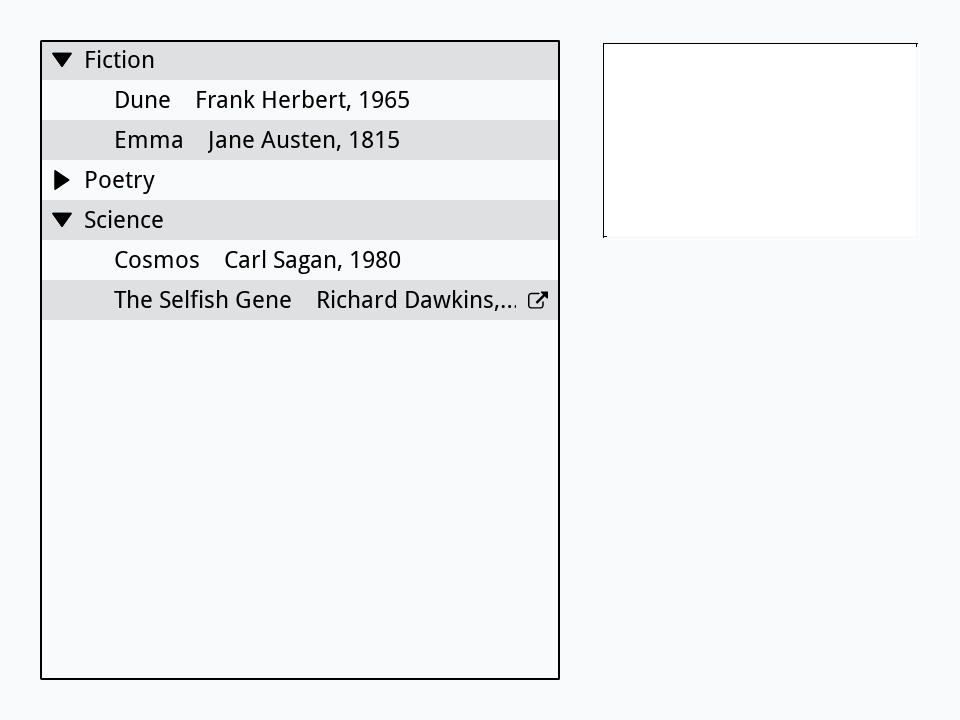
An array of arrays (Arrays) is a tree: each key leads either to a value, a leaf, or to another array, a branch. The Tree View widget shows one as a list whose branches open and close with a click on their triangle, as a file browser shows folders. Build a card with one:
- Make a new stack, or go to an empty card. In Edit mode, drag a Tree View from the widgets of the Tools palette to the left of the card, make it tall, and name it
Shelf. - Drag a classic Field to the right of it and name it
Details.
A Tree View shows its arrayData. Put this in the stack's script (Object > Stack Script), so that the tree is filled each time the card opens, and fillShelf can be called from anywhere in the stack:
on openCard
   fillShelf
end openCard

command fillShelf
   local tShelf
   put "Frank Herbert, 1965" into tShelf["Fiction"]["Dune"]
   put "Jane Austen, 1815" into tShelf["Fiction"]["Emma"]
   put "Carl Sagan, 1980" into tShelf["Science"]["Cosmos"]
   put "Richard Dawkins, 1976" into tShelf["Science"]["The Selfish Gene"]
   put "Walt Whitman, 1855" into tShelf["Poetry"]["Leaves of Grass"]
   set the arrayData of widget "Shelf" to tShelf
   set the sortType of widget "Shelf" to "text"
   set the readOnly of widget "Shelf" to true
end fillShelf
Keys are sorted as numbers unless sortType is text, so set it for words. A Tree View lets people add and delete elements unless it is readOnly, which suits an array a program owns. Try it from the Message Box, and open two branches with foldState, an array of the branches with a folded of false for each one open:
fillShelf
put the arrayData of widget "Shelf" into tShelf
put tShelf["Science"]["Cosmos"]
put false into tOpen["Fiction"]["folded"]
put false into tOpen["Science"]["folded"]
set the foldState of widget "Shelf" to tOpenCarl Sagan, 1980
The row that is chosen
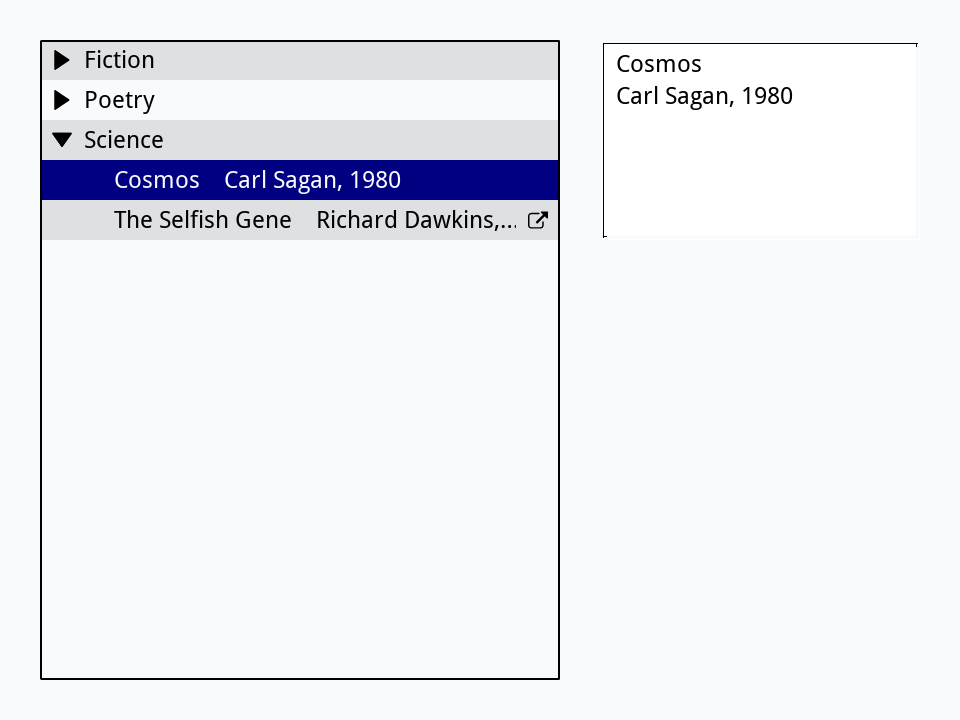
A click on a row lights it and sends hiliteChanged. The lit row's hilitedElement is its path: the keys from the top of the array down to it, separated by commas, so Science,Cosmos is tShelf["Science"]["Cosmos"]. It ends with a comma, Science,Cosmos,, which item and the number of items pass over. Put this in the Tree View's script:
on hiliteChanged
   local tPath, tShelf
   put the hilitedElement of me into tPath
   put the arrayData of me into tShelf
   if the number of items of tPath is 2 then
      put item 2 of tPath & return & tShelf[item 1 of tPath][item 2 of tPath] into field "Details"
   else
      put the number of elements of tShelf[item 1 of tPath] && "books" into field "Details"
   end if
end hiliteChanged
A path of one key is a branch, so the field says how many books it holds; a path of two is a book. Setting hilitedElement from a script lights a row too:
fillShelf
set the hilitedElement of widget "Shelf" to "Science,Cosmos"
wait 0 milliseconds with messages
put the hilitedElement of widget "Shelf"
put field "Details"Science,Cosmos, Cosmos Carl Sagan, 1980
A double-click on a leaf sends actionDoubleClick with the path, a good place to open the thing the row stands for. If your keys have commas in them, set the pathDelimiter to another character, such as /, and paths use that instead.
A folder as a tree
A folder is a tree too: folders inside folders, with files at the ends. A function that calls itself for each folder inside (Recursion) turns one into an array, each file with its size in bytes, ready for a Tree View:
function treeOf pFolder
   local tTree, tName
   repeat for each line tName in files(pFolder)
      put the number of bytes of URL ("binfile:" & pFolder & "/" & tName) into tTree[tName]
   end repeat
   repeat for each line tName in folders(pFolder)
      if tName is not ".." then put treeOf(pFolder & "/" & tName) into tTree[tName]
   end repeat
   return tTree
end treeOf

put specialFolderPath("temporary") & "/oxt-lesson-tree" into tRoot
create folder tRoot
create folder tRoot & "/docs"
put "Read me first." into URL ("binfile:" & tRoot & "/docs/readme.txt")
put "How to use it, step by step." into URL ("binfile:" & tRoot & "/docs/guide.txt")
put "Buy tea." into URL ("binfile:" & tRoot & "/notes.txt")

put treeOf(tRoot) into tTree
create widget "Files" as "com.livecode.widget.treeview"
set the rect of it to 20, 20, 300, 340
set the sortType of it to "text"
set the readOnly of it to true
set the arrayData of it to tTree
put false into tOpen["docs"]["folded"]
set the foldState of it to tOpen
put tTree["docs"]["guide.txt"]
put tTree["notes.txt"]

delete file tRoot & "/docs/readme.txt"
delete file tRoot & "/docs/guide.txt"
delete file tRoot & "/notes.txt"
delete folder tRoot & "/docs"
delete folder tRoot28 8
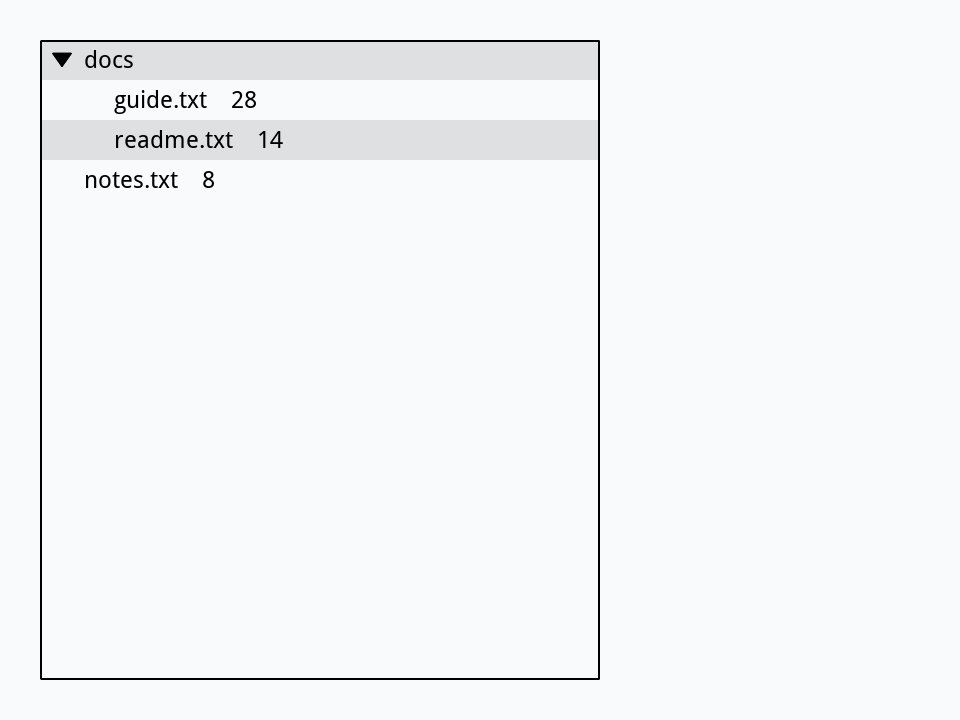
The files are deleted at the end, and the tree still shows them: it shows its own copy of the array, not the folder. Set its arrayData again to bring it up to date.
Try it yourself
Write a function leafCount that takes an array and returns how many leaves it has, however deep its branches go, so a program could say how many books are on the shelf or files are in a folder.
Show a solution
function leafCount pTree
   local tCount, tKey
   put 0 into tCount
   repeat for each key tKey in pTree
      if pTree[tKey] is an array then
         add leafCount(pTree[tKey]) to tCount
      else
         add 1 to tCount
      end if
   end repeat
   return tCount
end leafCount

put "Frank Herbert" into tShelf["Fiction"]["Dune"]
put "Jane Austen" into tShelf["Fiction"]["Emma"]
put "Carl Sagan" into tShelf["Science"]["Cosmos"]
put "Ada" into tShelf["Notes"]
put leafCount(tShelf)4
Words in this lesson
Tree ViewarrayDatasortTypereadOnlyshowValuesfoldStatehilitedElementhiliteChangedactionDoubleClickpathDelimiterfoldersfilesrecursionEach one finds every lesson that uses it. The Dictionary has the whole story of each, with its syntax and more examples.