The road a message takes
A message does not stop at the object it was sent to. If that object has no handler for it, it travels along the message path, through every object that holds it, until a handler answers it or it reaches the engine:
- the control it was sent to (the target)
- the group the control is in, if it is in one
- the card
- the card's background groups
- the stack, then its main stack, if it is a substack
- libraries and back scripts the program has added (Libraries shows how)
- the engine, which does its default job for messages it knows, and nothing for the rest
The first handler on the way runs, and the message stops there. Every object on the path has a script of its own: the Object menu opens them (Object > Object Script for what is selected, Object > Card Script, Object > Stack Script).
- On a new card, drag a Standard Button and name it
B. Leave its script empty. - Put the first handler below in the stack's script (Object > Stack Script), and the second in the card's (Object > Card Script).
on mouseUp
   put "the stack handled it"
end mouseUpon mouseUp
put "the card handled it"
end mouseUpthe card handled it
Click B in Run mode. The button has no script, so the message went to the card. The card had a handler, so the stack's handler, further along, never heard of the click. Click the card itself, away from the button, and the card's handler answers that click too.
Sending it on with pass
A handler that has done its part can let the message carry on with pass, and each object on the path gets its turn. To see every turn in the Message Box at once, these handlers add to what it shows with put ... after msg (msg is short for the Message Box) instead of replacing it:
- On a new card, drag a Standard Button and name it
B. - Put the three scripts below in the stack, the card and the button.
on mouseUp
   put return & "3 the stack" after msg
end mouseUpon mouseUp
put return & "2" && word 1 of the name of me after msg
pass mouseUp
end mouseUpon mouseUp
put "1" && the short name of me into msg
pass mouseUp
end mouseUp1 B 2 card 3 the stack
Inside each handler, me is the object whose script is running: first the button, then the card. the target stays the button all the way. Take pass mouseUp out of the card's script, click again, and the stack's line is gone.
Groups on the path
A group sits between its controls and the card, so a group's script can serve every control inside it. That is a neat way to build a panel of buttons that share one handler:
- On a new card, drag three Standard Buttons into a column, about 160 points wide, and name them
Small,MediumandLarge. - Select all three (drag a rectangle around them in Edit mode, or click each with Shift held) and choose Object > Group Selected.
- With the group selected, name it
Sizesin the Property Inspector, and open its script with Object > Object Script.
on mouseUp
   put "Size chosen:" && the short name of the target
end mouseUpSize chosen: Medium Size chosen: Large
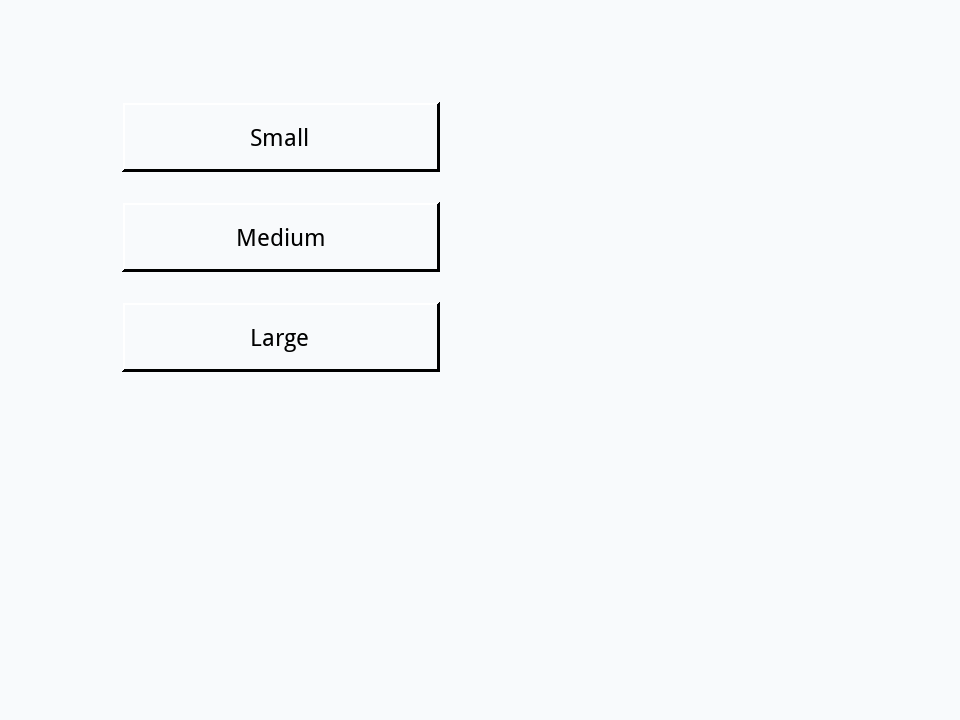
Clicking a grouped control in Edit mode selects the whole group. To change one of its buttons, choose Object > Edit Group first, or turn on Edit > Select Grouped Controls.
Sharing handlers up the path
Commands and functions travel the same path. A function in the stack's script can be called from any button, field or card in the stack, so the stack is the natural home for code that many objects use:
function doubled pN
   return pN * 2
end doubledon mouseUp
put doubled(21)
end mouseUp42
The reverse is not true: the stack cannot call a handler that lives in a button's script by name, because the stack is not on the button's path. To run it, send (Messages and events) the message to the button. Drag another Standard Button, name it Helper, and give it a handler of its own:
- Drag a Standard Button onto a card and name it
Helper.
on tidyUp
   put "tidied by the button"
end tidyUpsend "tidyUp" to button "Helper"tidied by the button
Where should a handler go?
- In the control, when it is about that control alone: what this button does when clicked.
- In a group, for controls that work together, like a set of tool buttons.
- In the card, for what belongs to one screen: getting it ready in
openCard(Cards and going between them). - In the stack, for anything the whole program needs: helper functions, saving, starting up.
Try it yourself
On a new card, drag a Standard Button named B. Give it a mouseUp handler that puts button first into the Message Box and passes the message; give the card one that adds card next on a new line and does not pass it; and give the stack one that adds stack last. Click the button: which lines appear, and why?
- Drag a Standard Button onto a card and name it
B.
Show a solution
on mouseUp
   put return & "stack last" after msg
end mouseUpon mouseUp
put return & "card next" after msg
end mouseUpon mouseUp
put "button first" into msg
pass mouseUp
end mouseUpbutton first card next
The card handles the message and does not pass it, so it never reaches the stack.
Words in this lesson
Each one finds every lesson that uses it. The Dictionary has the whole story of each, with its syntax and more examples.