One script, many objects
A game has twenty enemies; a form has a dozen fields that check what is typed; a toolbar has eight buttons that light up under the pointer. Copying the same script into each works until you find a bug in it, and must fix it twenty times.
A behavior is the answer. It is an object (usually a button, or a script-only stack) whose script works for every object whose behavior property is set to it. Change the behavior's script, and every object that uses it changes at once.
A first behavior
In a stack you would type the behavior's script into a button with the Script Editor and hide the button. So that the example runs by itself, it sets the script from text, a line at a time:
put "local sClicks" & return into tScript
put "on mouseUp" & return after tScript
put "   add 1 to sClicks" & return after tScript
put "   showClicks" & return after tScript
put "end mouseUp" & return after tScript
put "command showClicks" & return after tScript
put "   if sClicks is 1 then" & return after tScript
put "      set the label of me to the short name of me & colon && sClicks && " & quote & "click" & quote & return after tScript
put "   else" & return after tScript
put "      set the label of me to the short name of me & colon && (sClicks + 0) && " & quote & "clicks" & quote & return after tScript
put "   end if" & return after tScript
put "end showClicks" after tScript

create invisible button "Tally Behavior"
set the script of it to tScript
put it into tBehavior

repeat with i = 1 to 3
   create button ("Tally" && i)
   set the rect of it to 20 + 150 * (i - 1), 40, 160 + 150 * (i - 1), 76
   set the behavior of it to tBehavior
   send "showClicks" to it
end repeat

send "mouseUp" to button "Tally 1"
send "mouseUp" to button "Tally 1"
send "mouseUp" to button "Tally 3"
put the label of button "Tally 1"
put the label of button "Tally 2"
put the label of button "Tally 3"Tally 1: 2 clicks Tally 2: 0 clicks Tally 3: 1 click
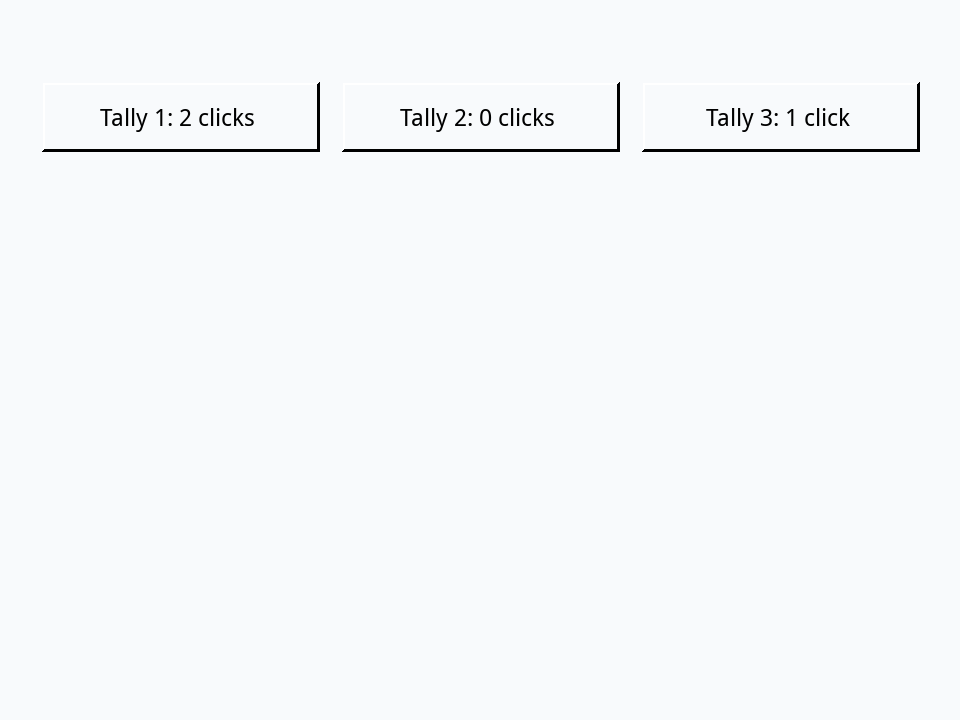
Three things to notice:
- Inside a behavior,
meis the object using it, not the behavior's button. The one script sets each button's own label. - Each object has its own script locals.
sClickscounts each button's clicks apart: Tally 1's two clicks did not touch Tally 3's count. (sClicks + 0shows a count still empty as 0.) - The buttons' own scripts are empty. A message that finds no handler in an object goes on to its behavior, before anything further along the message path.
The object's own handler, then the behavior's
An object can still have a script of its own. Its handlers run first, and a handler that ends with pass hands the message on to the behavior, so an object can add to what all of them do:
create invisible button "Shared"
set the script of it to "on mouseUp" & return & "put the short name of me && " & quote & "does what all buttons do" & quote & return & "end mouseUp"
put it into tBehavior

create button "Special"
set the behavior of it to tBehavior
set the script of it to "on mouseUp" & return & "put " & quote & "Special does its own thing first" & quote & return & "pass mouseUp" & return & "end mouseUp"

send "mouseUp" to button "Special"Special does its own thing first Special does what all buttons do
Without the pass, the object's handler would replace the behavior's for that object: a simple way to make one exception.
Before and after
A behavior can also have before and after handlers, which run around the object's own handler, whether or not it passes the message. They suit work that must always happen, such as logging, or a sound on every click:
put "before mouseUp" & return into tScript
put "   put " & quote & "before: the behavior" & quote & return after tScript
put "end mouseUp" & return after tScript
put "after mouseUp" & return after tScript
put "   put " & quote & "after: the behavior" & quote & return after tScript
put "end mouseUp" after tScript
create invisible button "Logger"
set the script of it to tScript
put it into tBehavior

create button "Save"
set the behavior of it to tBehavior
set the script of it to "on mouseUp" & return & "put " & quote & "the button saves" & quote & return & "end mouseUp"
send "mouseUp" to button "Save"before: the behavior the button saves after: the behavior
Behaviors of behaviors
A behavior can have a behavior of its own, which makes a chain: from the most particular to the most general. A message goes along the chain until a handler takes it. Here the general behavior knows how to shout a description, and the particular one says what the description is. A call from the general script still finds the particular handler first, because the search starts again at the object:
put "function describe" & return & "return " & quote & "a thing" & quote & return & "end describe" & return into tScript
put "function shout" & return & "return toUpper(describe()) & " & quote & "!" & quote & return & "end shout" after tScript
create invisible button "Thing"
set the script of it to tScript
put it into tThing

create invisible button "Animal"
set the behavior of it to tThing
set the script of it to "function describe" & return & "return " & quote & "an animal called " & quote & " & the short name of me" & return & "end describe"
put it into tAnimal

create button "Rex"
set the behavior of it to tAnimal
create button "Box"
set the behavior of it to tThing

put value("shout()", button "Rex")
put value("shout()", button "Box")AN ANIMAL CALLED REX! A THING!
value with an object works out an expression as if in that object's script, which is one way to call an object's function from outside it. dispatch function is the other (Messages and events).
Behaviors in script-only stacks
In a real project, behaviors usually live in script-only stacks: stacks with nothing but a script, saved as plain text files (.livecodescript) that version control can compare line by line (Shipping your program shows how a program finds them). A behavior's long id can be a stack's as well as a button's:
create script only stack "Greeter"
set the script of stack "Greeter" to "on mouseUp" & return & "put " & quote & "Hello from " & quote & " & the short name of me" & return & "end mouseUp"

create button "Ada"
set the behavior of it to the long id of stack "Greeter"
send "mouseUp" to button "Ada"
put the scriptOnly of stack "Greeter"
delete stack "Greeter"Hello from Ada true
A program opens its behavior stacks before the objects that use them: list them in the stack's stackFiles, or start using them as libraries, which the next lesson explains.
Try it yourself
Write one behavior for toggle buttons: a click flips the button's hilite and sets its label to its name followed by on or off. Give it to three buttons, Sound, Music and Hints, click Sound and Hints, and put the three labels.
Show a solution
put "local sOn" & return into tScript
put "on mouseUp" & return after tScript
put "   put not (sOn is true) into sOn" & return after tScript
put "   set the hilite of me to sOn" & return after tScript
put "   if sOn then" & return after tScript
put "      set the label of me to the short name of me && " & quote & "on" & quote & return after tScript
put "   else" & return after tScript
put "      set the label of me to the short name of me && " & quote & "off" & quote & return after tScript
put "   end if" & return after tScript
put "end mouseUp" after tScript
create invisible button "Toggle"
set the script of it to tScript
put it into tToggle

put 0 into tCount
repeat for each item tName in "Sound,Music,Hints"
   add 1 to tCount
   create button tName
   set the rect of it to 20, 40 * tCount, 160, 40 * tCount + 30
   set the label of it to tName && "off"
   set the behavior of it to tToggle
end repeat

send "mouseUp" to button "Sound"
send "mouseUp" to button "Hints"
repeat for each item tName in "Sound,Music,Hints"
   put the label of button tName
end repeatSound on Music off Hints on
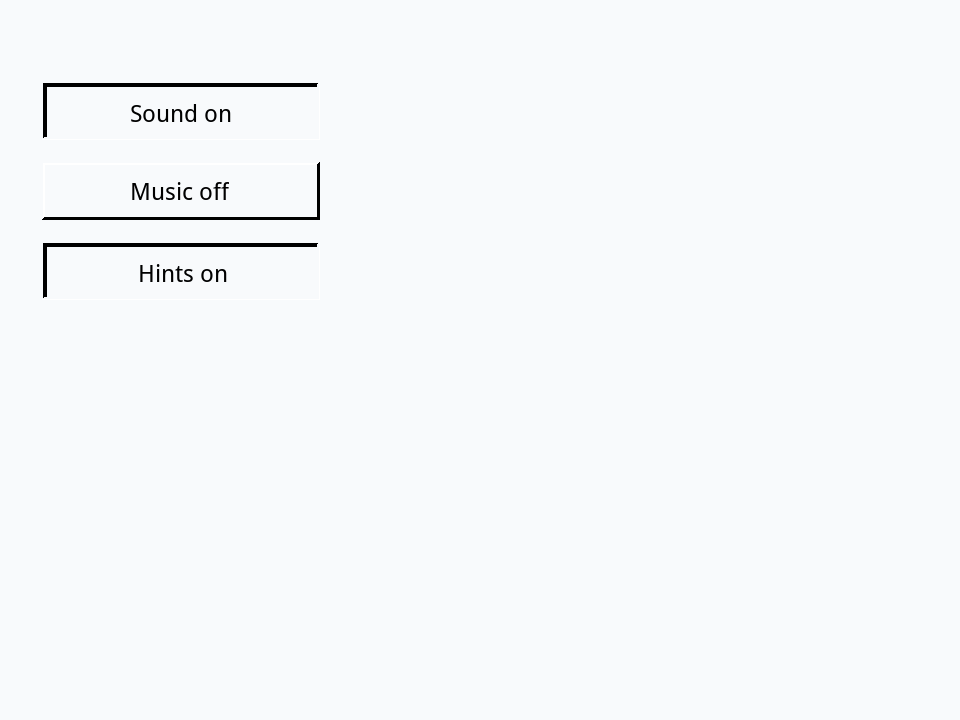
The solution keeps each button's state in a script local, sOn, rather than reading its hilite back: a real click lights a button up while it is pressed and turns it off again as the mouse comes up, so the hilite says nothing about the toggle by the time mouseUp arrives.
Words in this lesson
Each one finds every lesson that uses it. The Dictionary has the whole story of each, with its syntax and more examples.