Physics for the controls of a card
Box2D's own handlers (Physics with Box2Dxt) work in metres, and leave the drawing to you. The Box2Dxt Kit, a library that comes with Box2Dxt, does the rest: it works in pixels, screen coordinates and degrees, gives the controls of a card bodies, and moves each control to where its body is, 60 times a second. Its handlers begin with b2k. Beyond physics it reads the keyboard, plays sprite animations, runs a platform-game player, scrolls a camera and makes sounds; this lesson keeps to the physics.
On a card of your own, these few lines are a whole toy: everything that falls, lands, rolls and piles up, and the mouse can grab and throw it.
on openCard
   b2kQuickStart
   b2kSpawnBall 200, 80, 50, "red"
   b2kSpawnBox 260, 40, 80, 40, "orange"
end openCard

on mouseDown
   get b2kGrab(the mouseH, the mouseV)
end mouseDown

on mouseUp
   b2kRelease
end mouseUp

on closeCard
   b2kStop
end closeCard
b2kQuickStart makes a world with gravity, puts invisible walls round the card's edges, and starts the loop that steps the world and moves the controls. b2kSpawnBall and b2kSpawnBox make filled graphics with bodies, given their middle and size in pixels and a colour. b2kStop stops the loop when the card closes.
A step at a time
b2kQuickStart is b2kSetup (a new world), b2kAddWalls and b2kStart (the loop). To see exactly what happens, a script can b2kPause the loop and move it on itself with b2kStepOnce, one sixtieth of a second each, which is how the examples here run. b2kPosition says where a body's middle is, in pixels, and b2kTeardown ends it all:
b2kSetup
b2kAddWalls
b2kSpawnBall 120, 60, 60, "#2bb5a5"
put the result into tBall
b2kSpawnBox 320, 120, 80, 60, "#ff9b3d"
b2kSpawnBox 320, 20, 160, 20, "#b69cff"
b2kStart
b2kPause
repeat 180 times
   b2kStepOnce
end repeat
put b2kBodyCount() && "bodies"
put "the ball rests at" && round(item 1 of b2kPosition(tBall)) & "," && round(item 2 of b2kPosition(tBall))
put "and its graphic is there:" && the loc of tBall
b2kTeardown3 bodies the ball rests at 120, 330 and its graphic is there: 120,330
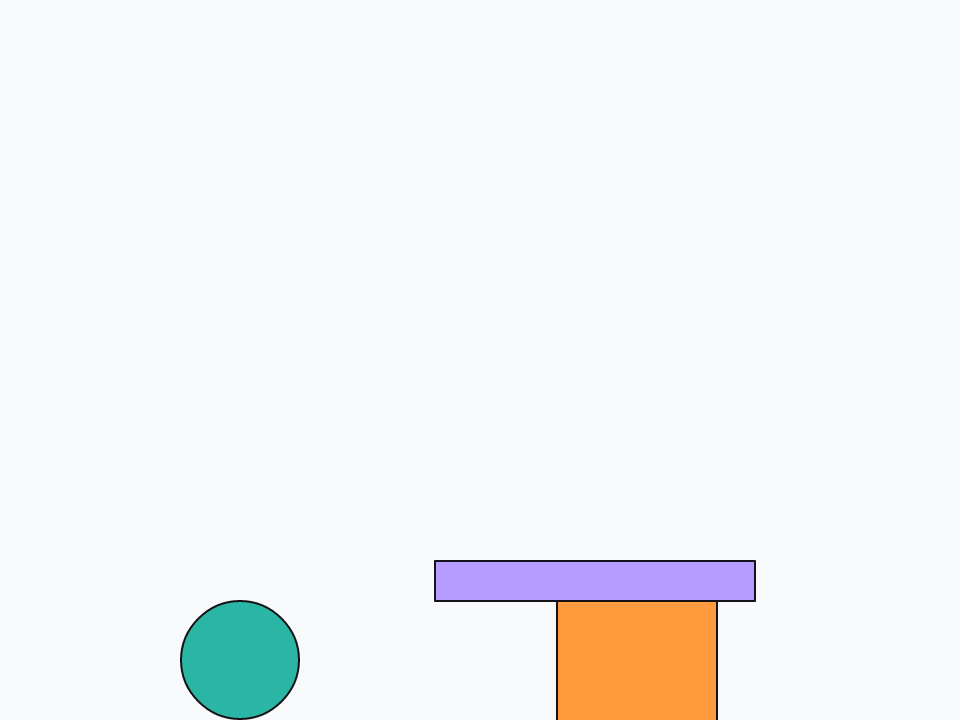
The walls run along the card's edges, so the ball, 60 pixels across, rests with its middle 30 pixels above the bottom of the card, which is 360 high. Underneath, the Kit still works in metres: b2kSetScale says how many pixels make a metre (40, to begin with), and b2kSetOrigin where on the card the world's 0,0 is.
Your own controls
A body can belong to any control you drag onto a card. b2kAddBox gives a control a box the size of its rectangle, b2kAddBall a circle, and b2kAddStatic a body that never moves, for floors and shelves. After that the Kit moves the control. Build a card:
- In Edit mode, drag a Rectangle Graphic to the left of the card, wide and thin, for a shelf. Name it
Shelfin the Property Inspector, tick Opaque and give it a grey fill. - Drag a smaller Rectangle Graphic above the shelf, name it
Crate, and give it an orange fill. - Drag an Oval Graphic to the right, high up, name it
Ball, and give it a teal fill. - Drag a Standard Button to the top right and name it
Drop.
Give the button this script, then click it in Run mode. The crate falls onto the shelf and the ball to the floor, live:
on mouseUp
   b2kSetup
   b2kAddWalls
   b2kAddStatic the long id of graphic "Shelf"
   b2kAddBox the long id of graphic "Crate"
   b2kAddBall the long id of graphic "Ball"
   b2kStart
   put b2kBodyCount() && "bodies"
end mouseUp3 bodies
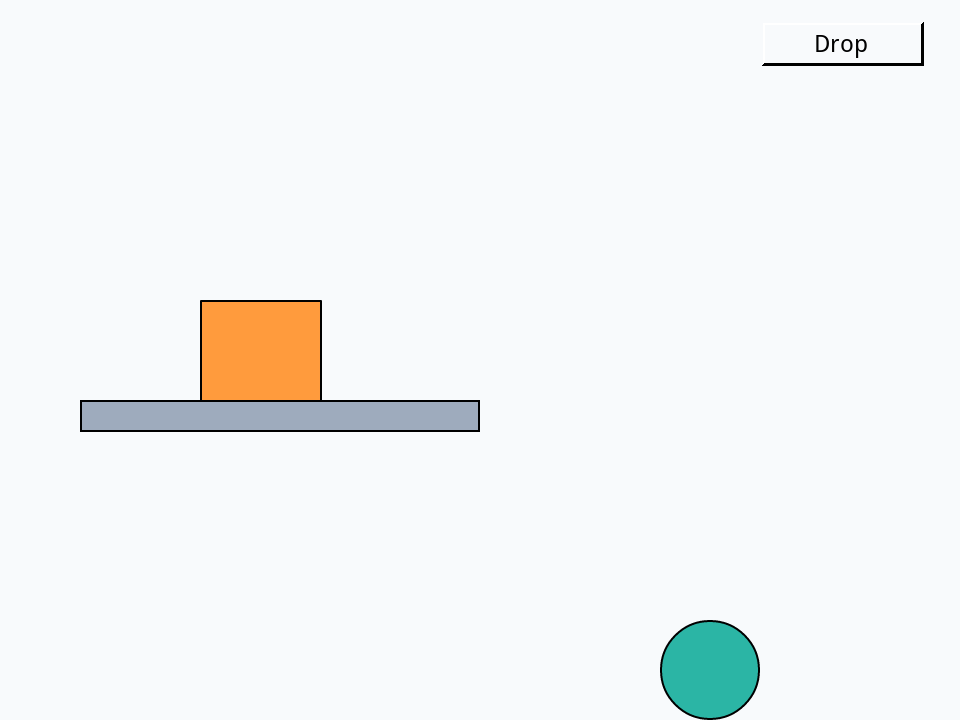
The loop runs on a timer, so the script ends at once and the card stays live: you can click other buttons while things fall. A button or a field can have a body too, and still works when clicked; it moves without turning, so its text stays upright.
Pushes, kicks and hinges
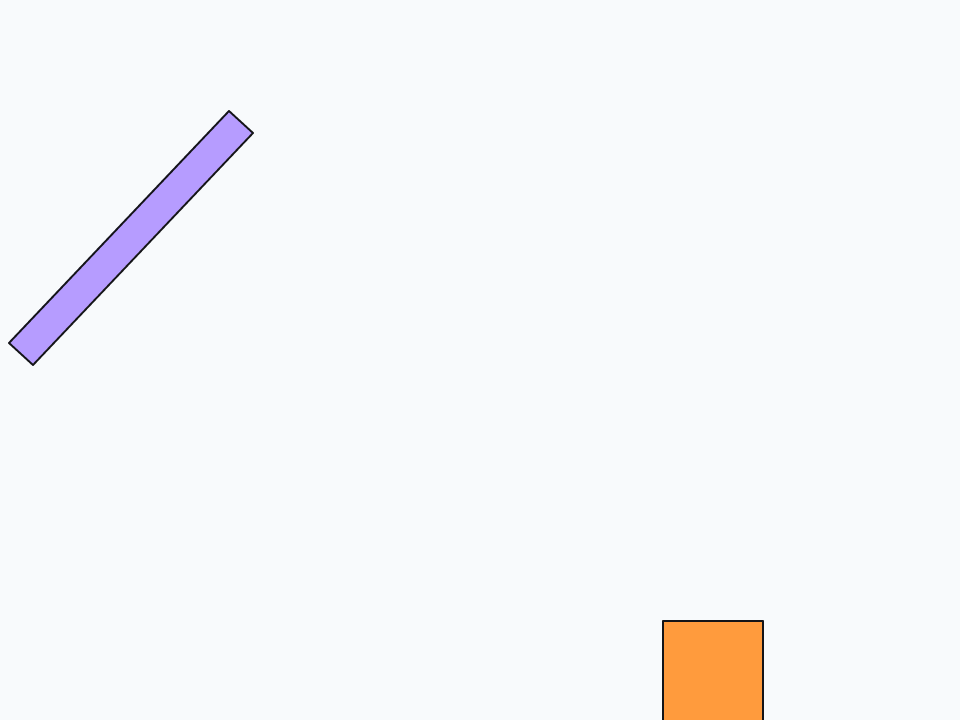
There are three ways to make a body go, and they feel different. b2kSetVelocity sets its speed outright; b2kPush adds to its speed, the same for a pebble as a boulder; and b2kImpulse kicks it, so a heavy body moves less. Speeds are in pixels a second, and a negative y is up. b2kHinge pins a control to the world, or to another control, at a point, for doors, pendulums and wheels:
b2kSetup
b2kAddWalls
b2kSpawnBox 360, 300, 50, 50, "#ff9b3d"
put the result into tBox
b2kSpawnBox 200, 60, 160, 16, "#b69cff"
put the result into tPlank
-- pin the plank's left end to the world: it swings down
b2kHinge tPlank, empty, 120, 60
b2kStart
b2kPause
repeat 60 times
   b2kStepOnce
end repeat
put "the box rests at y" && round(item 2 of b2kPosition(tBox))
b2kPush tBox, 0, -500
repeat 20 times
   b2kStepOnce
end repeat
put "kicked up, it is at y" && round(item 2 of b2kPosition(tBox))
repeat 400 times
   b2kStepOnce
end repeat
put "the plank swings below its pin:" && (item 2 of b2kPosition(tPlank) > 60)
b2kTeardownthe box rests at y 335 kicked up, it is at y 191 the plank swings below its pin: true
When things touch
A game needs to know when a ball reaches the goal or a player lands on a spike. Tell the Kit which object should hear about it with b2kContactTarget, and after each frame it sends that object b2kContact, with the two controls that began touching (a control is empty for a wall or the ground). Put the handler in the card's script:
on openCard
   b2kQuickStart
   b2kContactTarget the long id of this card
   b2kSpawnBall 200, 60, 40, "red"
end openCard

on b2kContact pControlA, pControlB
   if pControlA is empty or pControlB is empty then
      put "something hit a wall or the floor"
   end if
end b2kContact
A script can also ask after each step, with b2kContactCount, b2kContactA and b2kContactB, which is easier when the steps are your own:
b2kSetup
b2kAddWalls
b2kSpawnBall 240, 40, 40, "#2bb5a5"
put the result into tBall
b2kStart
b2kPause
put 0 into tSteps
repeat until b2kContactCount() > 0 or tSteps > 300
   b2kStepOnce
   add 1 to tSteps
end repeat
put "it touched after about" && round(tSteps / 60, 1) && "seconds"
put b2kContactA(1) is tBall or b2kContactB(1) is tBall
put (b2kContactA(1) is empty or b2kContactB(1) is empty) && "that the other is the floor"
b2kTeardownit touched after about 1.3 seconds true true that the other is the floor
Try it yourself
Build a tower of five boxes, 40 pixels square, one on another in the middle of the floor, let it settle, then fire a heavy ball at it from the left with b2kSetVelocity. How many boxes are still higher than the floor's first row two seconds later?
Show a solution
b2kSetup
b2kAddWalls
repeat with tLevel = 1 to 5
   b2kSpawnBox 300, 320 - 40 * tLevel + 20, 40, 40, "#ff9b3d"
   put the result & return after tBoxes
end repeat
b2kStart
b2kPause
repeat 60 times
   b2kStepOnce
end repeat
b2kSpawnBall 40, 260, 40, "#1b2435"
put the result into tBall
b2kSetVelocity tBall, 900, -100
repeat 120 times
   b2kStepOnce
end repeat
put 0 into tUp
repeat for each line tBox in tBoxes
   if item 2 of b2kPosition(tBox) < 280 then add 1 to tUp
end repeat
put "boxes still up:" && tUp
b2kTeardownboxes still up: 1
The answer depends on how hard the ball is thrown and where it hits; try other speeds, and a ball with b2kSetDensity made heavier.
Words in this lesson
b2kQuickStartb2kSetupb2kAddWallsb2kStartb2kStopb2kPauseb2kStepOnceb2kTeardownb2kSpawnBallb2kSpawnBoxb2kAddBoxb2kAddBallb2kAddStaticb2kPositionb2kPushb2kImpulseb2kHingeb2kContactTargetb2kContactb2kBodyCountEach one finds every lesson that uses it. The Dictionary has the whole story of each, with its syntax and more examples.